400-Line's Just Fine For A Party
Tags: fujitsu computer crt mb27331 pickups homemade-hardware
When Suruga-ya gave me a really good deal – with free shipping to Canada – on a CRT monitor, I had to take it. Only once it arrived did I realize this monitor was a lot weirder than I thought it was, and now I have to find a way to actually make use of the thing.
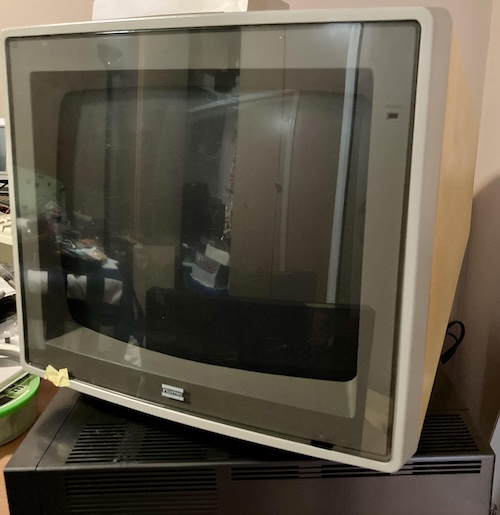
This monitor reminded me of the glory days of buying crap from Japan, where you could get yellowed hardware for pennies on the dollar because it was aesthetically unpleasant. Certainly this qualifies as “yellowed;” even though it came with its original Fujitsu shipping box, indicating someone really cared for it, the back of this CRT has probably spent a lot of time basking in the hot sun.
If I’m honest, I bought this because it was a good deal, and tried to figure out a use for it later. As I said up above, Suruga-ya let me buy this monitor for ¥3000, with free express shipping to Canada. I’m sure they’re very mad at me, but it’s my understanding that disposing of CRTs in Japan is not free, and perhaps they lost less money mailing it to me than they would have by simply disposing of it.
My original plan was to use this with my second Fujitsu FM-77AV2. Although its beige-office vibes don’t really match the styling of the sleek black wonder-computer, it has its own charm. I can’t resist a monitor with an anti-glare shield and a silkscreened logo on the glass.
Unfortunately, it turns out that this monitor is not compatible with the FM-77AV2. After a few months of it sitting in my basement, I finally cleared enough desk space to go and test it. First, though, I checked the FM-7 Museum website, which told me that the MB27331 is a fixed-sync “400-line” monitor. That means it’s only compatible with FM-77L4s, and original FM-77s equipped with a 400-line card. The AV2, despite being a newer computer, does not support such a high resolution, and neither do any of the successor AV models.
I also found a scan of a brochure telling me that the MB27331 was sold alongside the Fujitsu FM-16β, where it is described as an alternative to the more expensive, but similarly “high resolution,” MB27333. I’m not sure what the differences are between those monitors; maybe the ‘33 has a finer dot pitch or more inputs.
Okay, that’s enough market research. Let’s see if this thing can emit a phosphor. Something in my voluminous pile of junk ought to be able to drive it…
Get to the source
I went looking for a video pinout for the FM-77L4, just in case it was wildly different from the FM-77AV2. Quickly, I found this great site covering the differences between the FM-7 and FM-77, which includes a comparison of monitor pinouts. It turns out that this monitor has an “intensity” pin, which means it’s a sixteen-colour 640x400 monitor. Very fancy!
Now, I didn’t push all that carbon into the atmosphere and pull all that shipping cost out of Suruga-ya’s coffers not to use this fancy monitor. I remembered that some of my beloved NEC PC-98s have 8-colour digital RGB, and PC-98s also run 640x400 in 24kHz mode. That ought to be pretty close to the frequency this monitor expects, if not dead on.
Because the monitor is reported to expect TTL digital input, I chose a PC-98 that still has digital output. It’s not a perfect match, because, again, PC-98 digital output is only 8-colour, and this monitor supports 16 glorious tones. I chose my (second) PC-9801UV1, which you haven’t seen yet on the blog, mostly because my PC-9801RA was happily ensconced in my desk and not willing to come out of its cozy nest.
A quick consultation of the PC-9801UV’s user manual gave me the video pinout that I needed to wire the male end of the adapter:
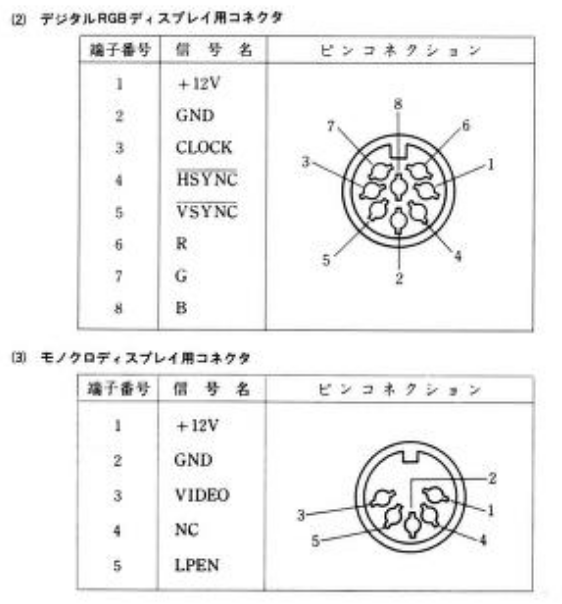
I rummaged through my bin of cable parts, and made up an adapter cable from the 8-pin DIN digital output on the early PC-98s to the female DE9 that the MB27331 expects to connect to2. The screw-terminal breakout here is the usual female DE9 part that you’ve seen in other posts; I was happy to see that the pin numbers on the PCB actually matched the correct pin numbers instead of just reusing the male PCB.
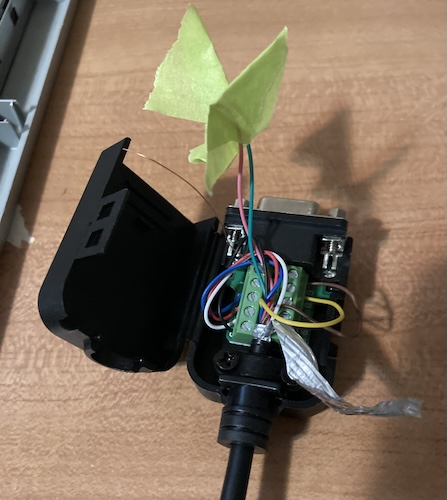
The masking tape is there in order to cover up the unused wires leading from the PC-98. One of them is a +12V line, which I didn’t want shorting to anything in the vicinity. The dangling shield jacket could also potentially have caused problems, but very few monitors need the shields connected in my experience, and there are some dedicated ground pins anyway.
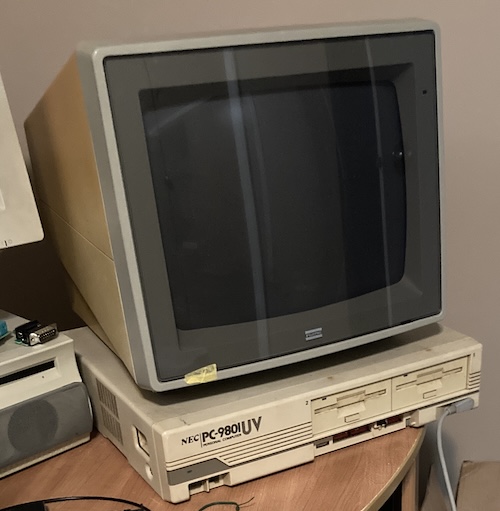
I think we can all agree that this monitor looks really good on this computer.
PC-98 Not It?
After crossing my fingers, I fired the monitor up with the PC-9801UV running. As the set warmed up, I eventually got some raster with a stable vertical position, but the video was unintelligibly smeared horizontally.
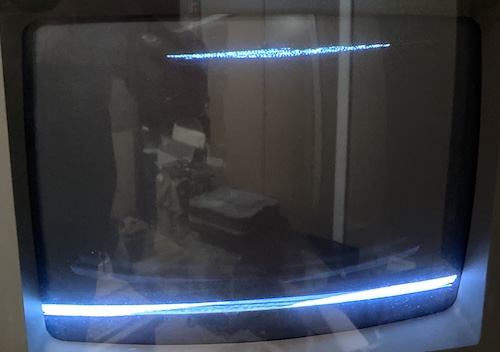
I remembered that the monitor has a horizontal hold setting on the back, so I grabbed my ceramic adjustment tool and went to town. I could get it close to legible on the topmost text line (albeit shifted 2/3rds to the right,) but the bottom row of key help was still a smeary mess, and the pot was extremely sensitive to any adjustment in that range. It seemed impossible to get any closer, and even if I did, the video was still offset quite a bit horizontally. Some tweaks to the horizontal position didn’t seem to make any difference.
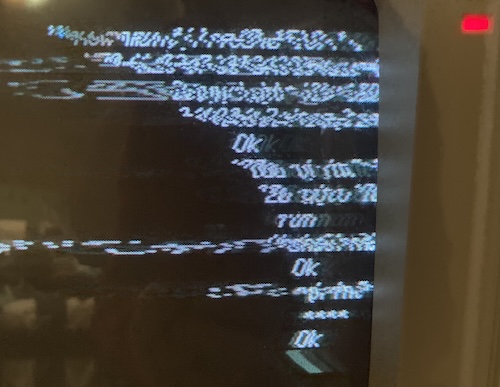
I went to toggle the resolution DIP-switch on the front of the PC-9801UV, which changes it between 15kHz and 24kHz, but nothing changed. Wait, something should have changed.
PC-98 Is It
Did I actually wire this adapter properly?
As soon as I touched the adapter, the wire for pin 8 fell out. That’s the horizontal sync pin. Oops. I twisted it up again and stuck it into the terminal block. Terminal blocks are not really the appropriate connector for a wire this thin; unfortunately it was this or run off a PCB.
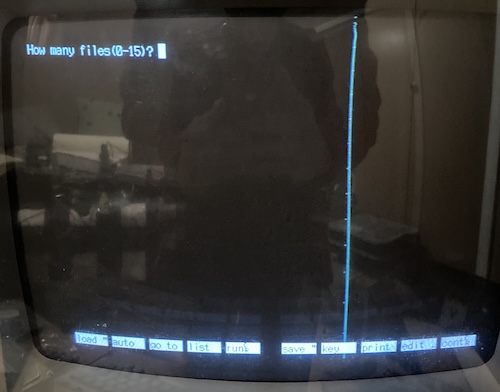
Holy cow! It works. Focus is sharp, and linearity looks perfect to my eye. There is this weird vertical turquoise line with sporadic dots inside it, and the video keeps throbbing and wiggling. Maybe the monitor needs caps, or this is something like the PC-98 not shutting off the colour while flying back that the Fujitsu doesn’t like?
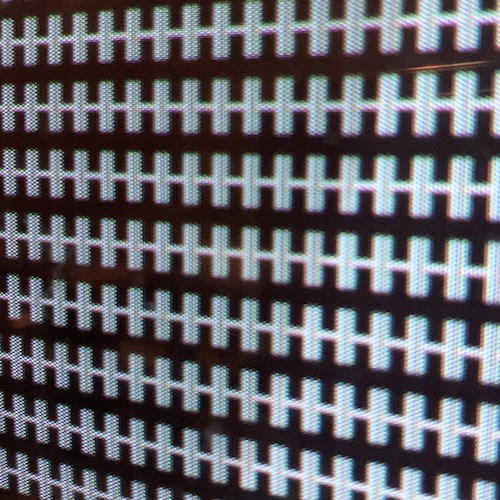
I tried moving the line off the edge using the horizontal hold, but as soon as it fell off the edge the monitor lost sync and freaked out. Playing with the horizontal position and horizontal hold together was not able to move it far enough away either.
Since I already had N88-BASIC working, I wrote a simple program to test colour:
10 for i = 0 to 7
20 line(i * 80, 0)-(i * 80 + 79,399),i,bf
30 next i
In N88-BASIC, and probably other Microsoft BASICs of the era, you can draw a rectangle by using the LINE instruction to specify the upper left and bottom right corners of the rectangle and specifying the option B. BF is “box, filled,” as you can see below.
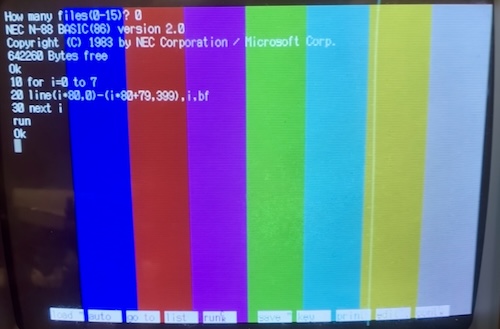
A rainbow of possibilities. And in the right order, too! Somehow I failed to mix up red and blue this time. Go figure I got it right on the throwaway video adapter…
As I suspected, these colours are fairly dim, because I’m not driving the aforementioned Intensity line of the monitor. Unfortunately, the PC-98 only provides +12V for a power output on its video pinout, and I’m willing to bet this monitor will not appreciate being fed that. Of course, that can be regulated down to a nice +5V in order to provide a pull-up on the intensity line, but let’s first figure out what’s going on with this ugly vertical line artifact, and all this dreadful wobbling.
MB stands for More Bfixing?
Although I’m disappointed it wasn’t perfect immediately, I’m not particularly surprised that a nearly forty-year-old monitor might need a little bit of maintenance. Who knows how many hours of excitement this thing has seen in its long life before getting crammed into a box and sent to Canada?
For now, the monitor has gone back in its box – I need the desk room for another broken project – but I am pumped to open it up and recap it soon. Kudos to Fujitsu for making a cool monitor.
Thanks for reading!
-
Since it’s the first time on the blog, despite many years of failed UV-related projects, I’ll give a quick capsule history of the model. The PC-9801UV is a much earlier PC-98 than the PC-9801RA; it’s from 1986 and has an NEC V30 CPU (8086 equivalent, sort of) running at up to 10MHz. It also has built-in -26 FM sound and the GRCG “Graphics Charger,” making it a great option to run early games on. I’d argue that it can be considered the first “modern” PC-98, although the successor model, VX, added the “Enhanced Graphics Charger” (EGC) that most games expect, so it depends on your definition of modern. ↩
-
As a side bonus, the video pinout of the PC-98’s digital RGB port is shared by a bunch of other Japanese computers, including my beloved NEC PC-8801mkII, which can also do a “400” line display by scan-doubling its 200-line internal resolution. ↩