IIgs The Future
Tags: computer apple apple-iigs pickups
During the tumultuous era where Apple cast the Apple II aside in favour of the Macintosh, they also threw out a really special little computer: the Apple IIgs. It combined the Apple II’s anything-goes accessibility with 16-bit performance and FrogDesign’s good looks. I’d never had one before, but have started to get interested in them recently. Let’s see what it takes to get this slightly battered example running.
Part of exploring the world of old computers means that you get to re-evaluate your opinion of the old computers. When I first started collecting old Macs many years ago, I didn’t have any time for the Apple II systems. They’re so limited, I thought, and not at all fun and colourful like the Macs were.
I regret not having held onto more of those systems at the time, when they were cheap and plentiful, and after getting to know the IIgs through various meets and emulator adventures, I really regret not trying it earlier. Now they’re a little harder to find; many of them have been recycled, and a lot of the remainder have been raptured into collections where they serve as backup units or shelf queens.
For the Apple II faithful, the IIgs is historically important. Woz returned from his plane crash to Apple, and eschewed a cozy management position in favour of making a really kick-ass new computer. Various conspiracy theories are put forward as to why Apple didn’t follow through with a successor model to the IIgs, but they did build the things for six years, which is a much longer production run than most of the failed machines on this blog ever got.
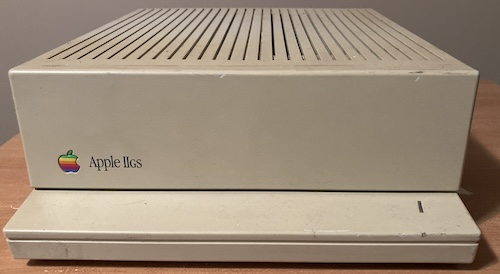
This particular IIgs comes to me from someone on another Discord, who cut me a good deal because its appearance is not great. Although there is yellowing and lots of dings and dents, the primary damage is this huge scar on the side.
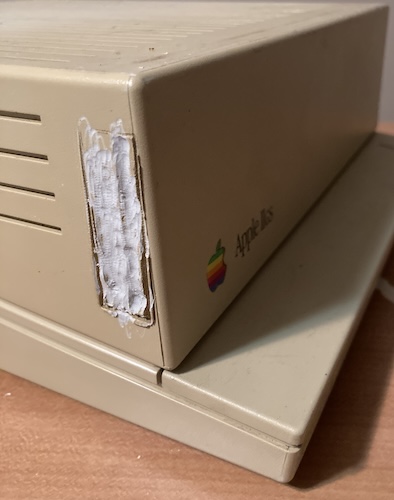
From the shape and position of the scar, I’m guessing this used to be an asset tag or an anti-theft clamp that was crudely removed using a chisel. You can’t tell from the front, so I just have tucked that side up against another piece of junk on my desk to cover the damage.
Getting it started
Unlike the other machines in the Apple II series, the IIgs has a completely separate keyboard. This helps it be a tiny little box that shoves easily into the corner of my desk without taking up too much room: a huge plus in my environment.
What kind of a keyboard does it take? This machine is actually the origin of ADB, the Apple Desktop Bus. I always thought it was a Mac thing originally, but the IIgs produced a lot of the innovations that slowly made their way into later Macintoshes. It’s very convenient for me: I don’t have a IIgs-specific ADB keyboard lying around, nor do I want to buy one, but I do have lots of Macintosh ADB keyboards.
For video, I initially connected the composite video output of the IIgs to the NEC JB-1260 CRT that I repaired in a previous article.
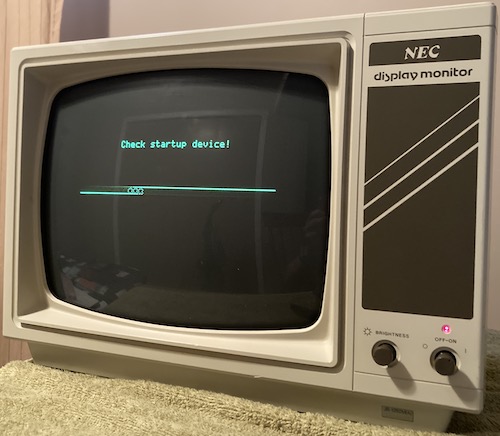
When the IIgs is first switched on, it will go to a “check startup device!” screen with a bouncing Apple logo. Obviously, it’s waiting for a boot disk, which I don’t have.
The “triangle” button which is usually used for soft-power ADB Macintosh power-on (and interrupt) is used here as the Apple II’s “Reset” switch. On my IIe, I can bail out of the slot autoboot screen and go to BASIC by hitting Ctrl + Reset… let’s see if it’s the same thing here.
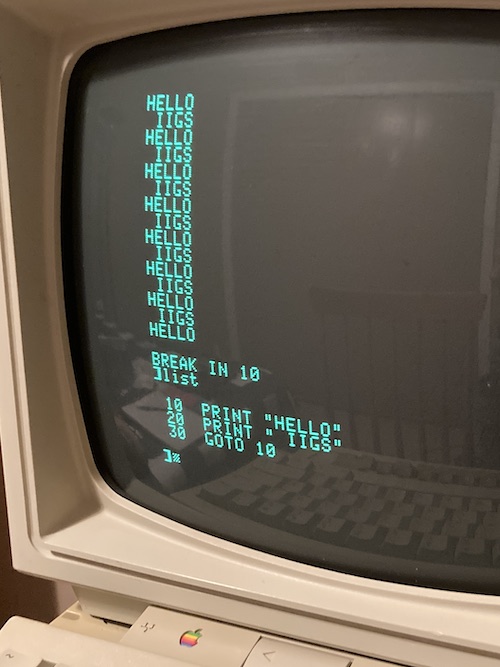
Yes, that worked great. You can indeed use a IIgs in a useful way without having a disk drive attached to it. However, the mini assembler (CALL -151 and then F666G) does not appear to work on this machine. Which is a pity, since I was looking forward to seeing if it had 65816 instructions.
The mini-assembler also doesn’t work on my unenhanced Apple IIe (it has to become enhanced, something I am stubbornly opposing for some reason) so sadly I will have to continue to hand-assemble my 6502 programs. Or, like, download a copy of Merlin.
Floppy Ostrich
I didn’t have a 3.5” floppy drive on hand, and looking at eBay prices for broken and untested drives made me feel a bit ill. Rather than supporting scalpers, I decided to instead support the community, and finally bought a Floppy Emu.
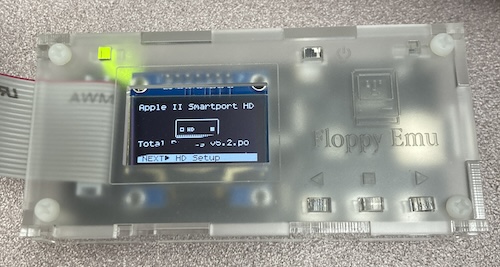
This fancy device emulates Apple II, Lisa, and Mac floppies as well as some limited varieties of hard drive that connect to the external floppy connector on early Macs. It even has support for the new “WOZ” disk image format, which is sort of akin to a flux-level image, making preservation of copy-protected disks easier.
All you have to do is pick an image, and restart the IIgs using Open Apple (Command) + Ctrl + Reset.
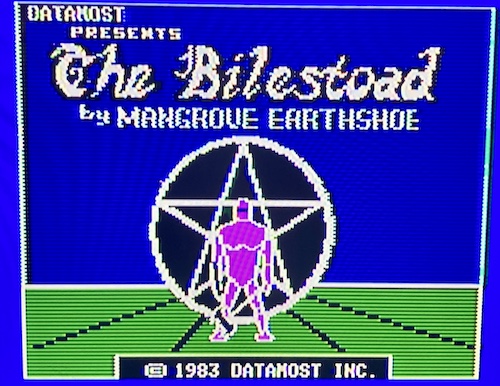
The IIgs happily boots off the “disk” and is off to Apple II goodness, such as this copy of ultra-gory stabfest The Bilestoad, which just so happens to be a copy-protected WOZ image as well. Cool!
So far, I liked the system so much that I got around to building an adapter1 in order to use it with my freshly recapped NEC MultiSync 3D, which can easily do 15kHz RGB with composite sync. Here it is running ProDOS and the title screen of Moon Patrol:
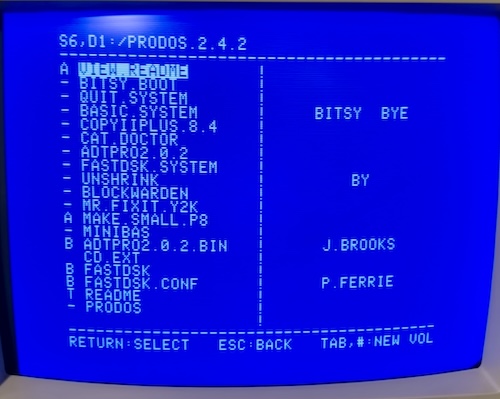
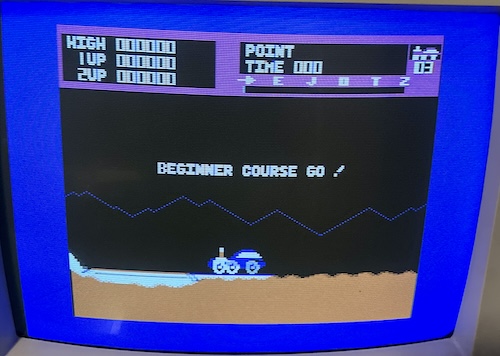
Another good option for RGB video would be to construct a IIgs-to-VGA adapter cable and use it with a GBS-Control upscaler (like the one I built way too quickly a few years ago and still use.)
Ys, or not
While I was looking for other games to try, I was surprised to find a copy of Falcom’s Ys listed with the other archival copies of games available. I haven’t played much Ys, having always been repelled by descriptions of its “half-character” bump combat, but it is novel to see it in English on a Western computer. I threw it on the Floppy Emu.
I was able to boot into the program disk, and get it to ask for the data disk, but then it crashed immediately on an “0201” error. After searching, this turns out to be a memory allocation failure (I assume some equivalent of C malloc is being invoked on the OS level) which made me suspect I didn’t have enough RAM.
After searching online, it was shown to be the case that Ys indeed needs 512kB of RAM. I only have 256kB. Uhhh, I guess I need some RAM.
Wasting money on memory
Originally, I was going to get a GGLabs RAM card, but it was out of stock. Then, I started playing around with the idea of building my own card, maybe with a SIMM socket (I’ve never done one of those before!) Eventually, I found a listing on eBay of two Apple-branded IIgs RAM cards, which take socketed 41256s. They were dirty cheap, and would arrive quickly, and so that’s what I chose.
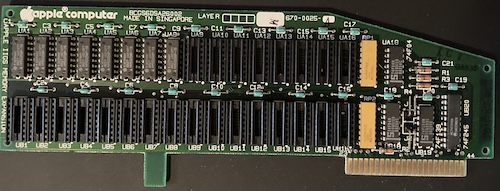
That turned out to be a mistake, but I’m getting ahead of myself.
This card looks pretty power-thirsty, even with less than half of the total RAM populated. I had a feeling that I’ll need to swap this out in the future if I started adding more cards to the system.
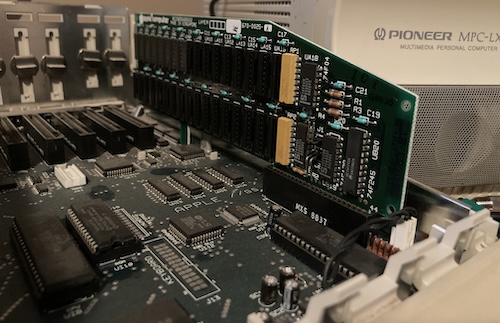
Yes, Ys
Once the RAM was installed, I was now able to boot into Ys a little further, getting the publisher logos and the title screen.
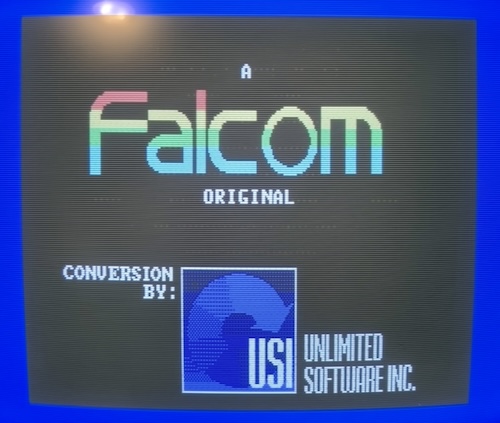
Unlimited Software is a Canadian success story, having done a handful of ports before doing their own original titles (as Distinctive Software) for EA and then becoming part of the Electronic Arts monolith as EA Canada.
Publication was done by Kyodai2 which the Ys manual describes as a collaboration between Japanese publishers and Brøderbund:
Founded in February 1988, Kyodai is a joint venture involving 11 Japanese personal computer software publishers and Brederbund Software, Inc. An American company based in San Rafael, California, Kyodai brings best-selling Japanese personal computer software titles to the North American market. We at Kyodai believe that American computer users will enjoy the converted Japanese programs for their superb graphics and their interesting storylines - the same characteristics that made them best-sellers in Japan.
The IIgs port was done by Dave Galloway, who I reckon is likely to be this David Galloway on Mobygames.
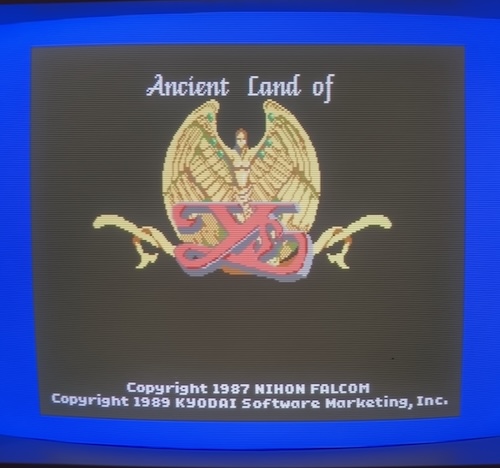
No, Ys
Then, it would go to a blank gameplay screen, and dump me out into a blank text-mode screen. The disk would seek for a bit, then go silent.
Something was wrong, and I wondered if I was failing some kind of copy-protection check with my greasy pirate disk image. Still, I checked the Ys manual to see if it had some troubleshooting advice, but it was relatively useless:
NOTE: If the program does not load, check your IIGS Control Panel Slot settings.
Check them for what? Which settings? Later on, the manual explains how to make copies of the game:
Although the Ancient Land of Ys disks are copy protected, you can make backup copies of both game disks. Use a ProDOS utility or a ProDOS copy program to copy both Ancient Land of Ys disks onto blank floppy disks. If you have any questions regarding the use of the utility program or copy program, please refer to the utility program or copy program’s manual.
So… it’s copy-protected, but you can copy it?
I decided to quickly check the RAM on my newly-installed expansion card to see if it was bad. After farting around with the default IIgs diagnostics, which told me “System Good” without explaining if they tested expansion RAM or not, I ran MiniMemoryTester instead. It has a ton of options, but I stuck to the defaults for the first test.
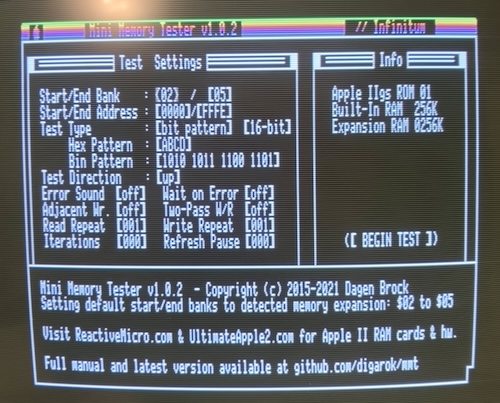
It passed with flying colours. The second test too, this time using a more rigourous “bit walk” test. So the IIgs’ internal memory, and the 41256s on the expansion card, are both perfectly fine.
Now I had two theories for why Ys wasn’t working on my real hardware:
- The Floppy Emu somehow doesn’t do something right with its disk emulation, and Ys crashes when that happens. This is not something I can fix or test without buying a 3.5” disk drive and using ADTPro to write my own bootlegs;
- The game was designed for ROM 00 and the ROM 01 version needs more RAM than just 512K for some reason. This felt like something I could test with an emulator.
Unfortunately, both the KEGS and GSplus emulators only let me change the Expansion RAM size to 0MB or 1MB at the least. In the menu, at least. I was getting ready to modify the code to use a mere, wimpy 256K expansion.
Reading the release notes, though, I noticed KEGS had a command line option to set expansion RAM size:
RAM size is now settable on the commandline: -mem 0x400000 will use a 4MB expansion RAM card (giving you 4.25MB of memory with ROM 01).
Sure, I can do basic hex math. How about -mem 0x40000 for 256K, big boy?
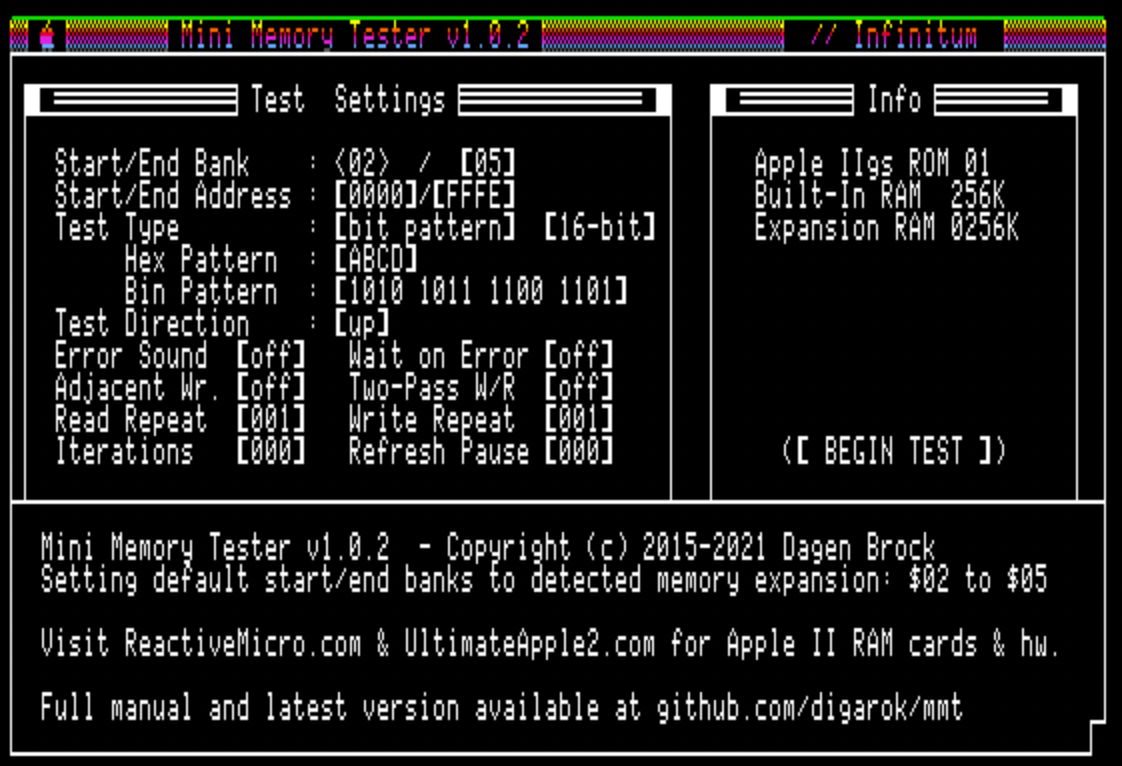
Now I could run the KEGS emulator in an configuration mirroring my real IIgs. Mini Memory Tester (above) shows that I only have a 256kB expansion.
And did Ys crash?

Yes it did! Apparently, I needed more RAM this whole time. This doesn’t make a ton of sense to me, as I was under the impression that only GS/OS loaded additional patches into RAM to put more RAM pressure on a ROM 01 system. And this game was clearly booting from ProDOS. Being new to the system, I don’t know the IIgs internals very well, but I get the message: put more memory in this sucker so you can play Falcom games.
To figure out the minimum, I decided to bump the emulated RAM up to an extremely generous 512kB of expansion RAM (-mem 0x80000) and try the test again.
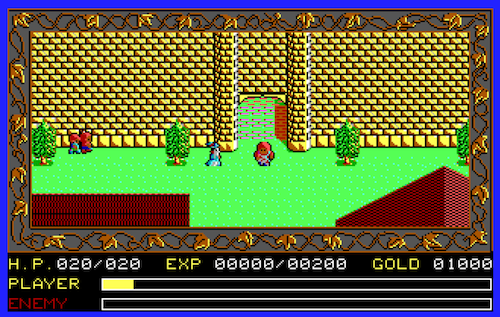
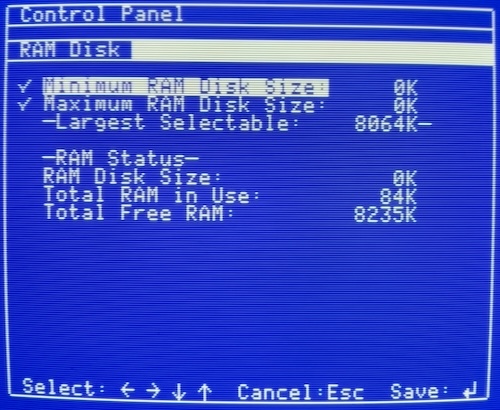
So I need at least 512k expansion RAM to run Ys on my ROM 01 IIgs.
Buy another RAM expansion
Now that I had a reason to, I decided that I would like to get more RAM. I considered stuffing this card with more 41256s (as I had with the Tandy 1000SX,) but I didn’t want to wait several months for AliExpress (I only had two chips left,) and also put a ton more heat and strain on the power supply to feed all those DRAMs.
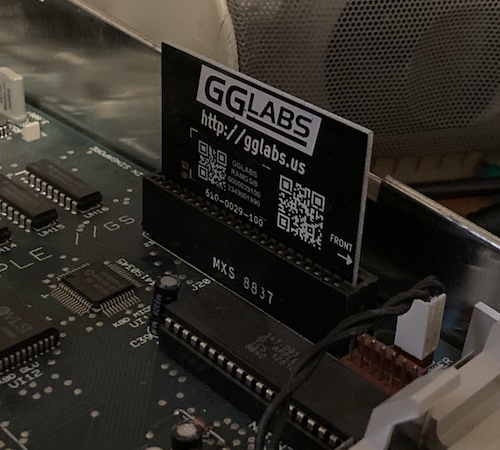
Lucky for me, the GGLabs RAMGS/8 had just come back in stock. This is a relatively inexpensive (for an unpopular system, at least) 8MB RAM upgrade, and it’s nice to support other folks who spend their evenings staring at an oddly wobbly oscilloscope.
I feel like I could have designed and built it cheaper, or at least weirder – I have a lot of 30- and 72-pin RAM SIMMs lying around that could be used. We all know, however, that the last thing I need is another several-weeks-long PCB project, and any respins would quickly eat into that budget. I’ll save my RAM-expansion-building antics for a computer that doesn’t already have a community-made option still available for purchase.
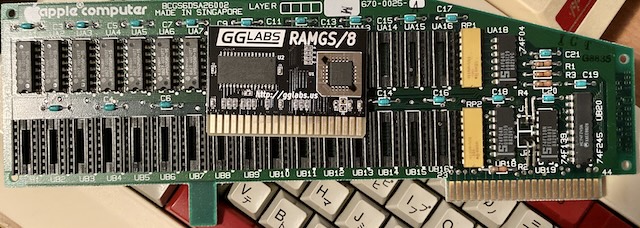
It’s a little hard to believe that this tiny thing contains eight whole megabytes of RAM. But it does:
Ys III, but not that Ys III
As expected, Ys fires right up. Well, by “right up” I mean “after significant load time.” It even loads from disk when you push the “escape” key to pause the game…
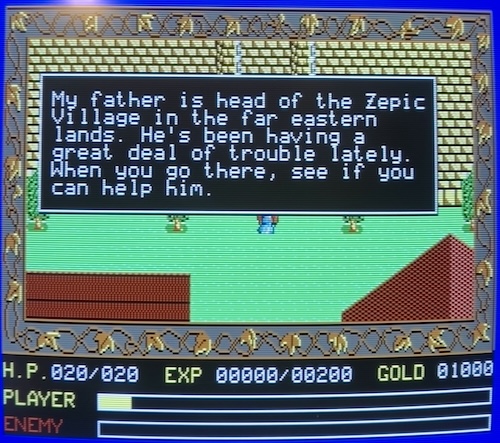
It’s a little presumptuous of you to think that I’m going that far, ma’am. I just loaded up this game. I might be going to the sandwich shop and that’s it.
Being familiar with Japanese role playing games of this era, I knew I had to seek out the fortune teller first. She is living in the largest house in the village, which is not at all suspicious.
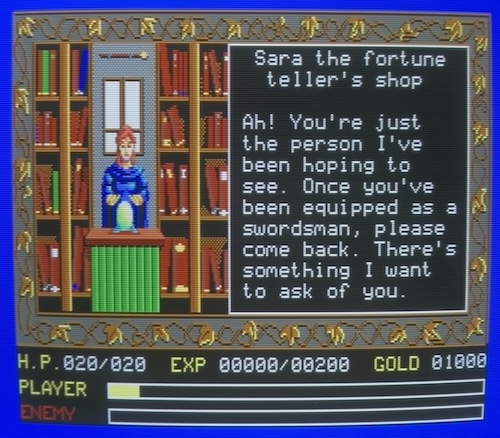
Equipped as a swordsman? I can do that. I went to the nearby store to buy a 500-gold short sword. Apparently, this sword is good for things other than violence. I am really curious what those could possibly be.
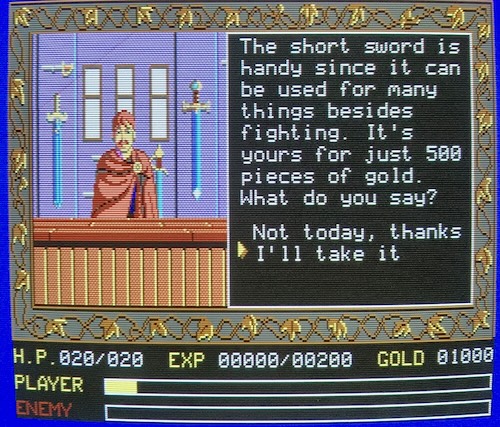
Despite what you may think, Ys’s fortune teller really wants you to have more than just a sword in order to become a swordsman. You in fact need a shield and armour as well, which I found out shortly after this.
Conclusion, for now
If you’re here to watch me play games, I think you may be sorely disappointed. Ys proved that the IIgs was working, but I’ll be enjoying its engrossing narrative and massive world on my lonesome.
I was shocked at how much I liked this IIgs. Much like the PC-88, the IIgs shows the power of taking a solid 8-bit design and extending it to have much better colour and sound.
My next steps with the system are going to be running GS/OS off the Floppy Emu’s emulated hard drive. I want to try and install the ORCA development tools so that I can try my hand at 65C816 development like all the cool kids do.
I may also attempt a motherboard recap. Once in awhile, the MultiSync and the IIgs just refuse to play ball with one another from a cold start. It usually takes a couple minutes of frustrated switch-flipping before video can be established, and since the MultiSync was just fully re-capped and seems to work fine otherwise, I’m willing to blame the IIgs.
That said, while combing through the schematics, I’ve yet to come up with a plausible theory for this fault, and the last thing my desk needs is another exploded computer waiting for an order of one or two weird-value caps. More detective work is needed before I could conclusively point to the motherboard or power supply as being the problem.
Also, wouldn’t it be cool to have an internal SCSI card and BlueSCSI? The schematics of both the IIe/IIgs SCSI cards are out there, and although the faster card (Sandwich II) has all kinds of fancy DMA and customs, the slower card sure looks like it may be within my wheelhouse to replicate. It’s a good thing that I don’t have to, because as this article was getting edited, blog friend DosFox made an open-source clone of the Apple II SCSI card, including reverse-engineered PALs.
-
If you want to build one of your own, you can download the Gerbers from the GitHub repository here. Check the “Releases” page. ↩
-
It could be 巨大, “gigantic,” “enormous,” but if you spell it Kyōdai (きょだい,) it becomes “siblings,” which is almost certainly the actual meaning for this publisher-publisher family structure, especially from Brøder-bund. Again, I was not able to find any conclusive information on which of these two it is, but I strongly suspect the latter, considering “Brøderbund” isn’t an actual word either. ↩