Embedding a bitmap font in your HyperCard stack
Tags: computer apple hypercard homemade-software
I’ve loved HyperCard for a really long time now. As a kid, I made simple games in it. As what could arguably be called “an adult,” I now want to play with HyperCard itself to see what weird stuff I can make it do. Today, I’ll make it display text… in a different font.
HyperCard was developed for the original Macintosh as a way for anyone to quickly build interactive programs. It does this through a combination of “graphics-first” visual authoring and a very natural-like scripting language (which you very rarely have to actually use.) When I was in university, they still had a Mac Plus kicking around just to be able to use one prof’s astronomy calculator that had been banged together in HyperCard many moons ago.
After its initial release, HyperCard caught on not only as a way to make nice front-ends, one-off scientific utilities, and database programs, but also as a way to build games. Adventure games were best suited to it. Myst was famously developed in HyperCard, and so was Caper in the Castro, which is often held up as one of the earliest queer games.
An intriguing font
While reading up on some old Mac stuff, I came across a reference that the Concentration 2.2 stack for HyperCard by Sioux Lacy embedded a special bitmap font. That stack used its custom font for the purpose of displaying the card suit and value of the cards you are asked to match. For instance, you can see the 6 of diamonds and the 6 of hearts being matched in the image below.
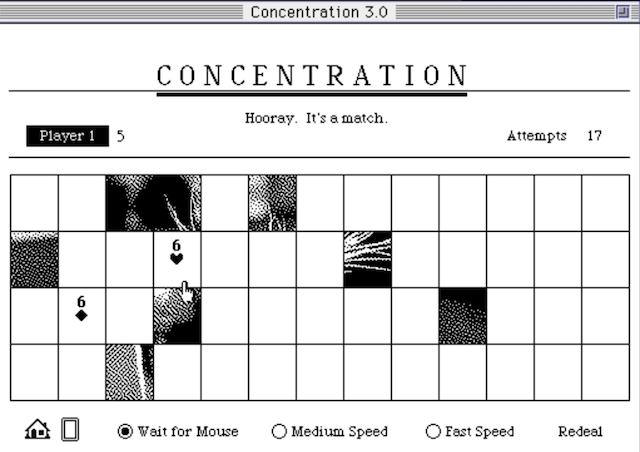
Like many other things on the Mac, that font was no doubt embedded in the stack through a resource.
The Resource System
Let’s talk a bit about exactly what a resource is in Mac-land. As you probably intuitively know, even if you haven’t written any computer software before, there’s more than just code that goes into them. Even your most boring business application is going to need to define stuff like icons, pictures, big blocks of text, sounds, colour palettes, and custom fonts.
Historically, a lot of this stuff is just jammed into the program code in the form of #defines or a similar structure. You can see this in my BBC Bridge Companion Tetris clone, for instance, where I set up the graphics for all the little tiles in a block of code near the top.
There’s a few big problems with this model. For one thing, you need to rebuild the entire program (or hack it up in a hex editor) to do something common, like translating English help text to Japanese1, or changing an icon. The bigger problem, at least for Apple in 1984ish, was that these things use up a lot of memory, and it would be nice to not need to have them in memory all the time.
On the early versions of the Mac system software, the Resource Manager is the chunk of the Macintosh Toolkit API that you use to ask for resources. If you’re not actively using all of the resources at a given time, the system software is allowed to recycle the memory used for them, which is important when you ship a 68000-based computer with only 128kB of RAM.
To implement resources, Apple engineering split executables (and other kinds of files) into two parts: the data fork and the resource fork. You’ve probably heard of these before, when people are upset about why their downloaded software won’t work on a classic Mac. Although the boundaries between these two would soon blur with the introduction of code fragments, for an executable application, the data fork would contain all the code, and the resource fork would contain all the resources.
A lot of old-time Mac owners probably have fond memories of opening up games and other programs in ResEdit, Apple’s official resource editor, and changing around menus and icons and whatnot.
Here’s ResEdit viewing the infamous help picture from Glider:
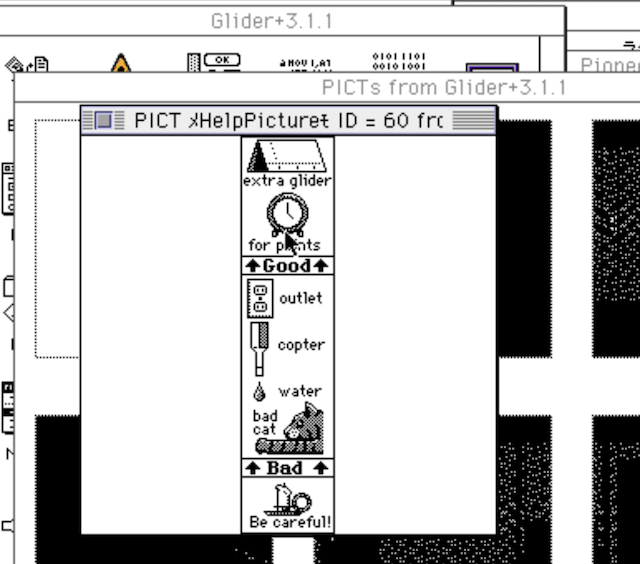
This model of separating the code from the “data” has been carried on to other operating systems as well, though Windows in particular implements it in a very different way.
For our purposes, we’re going to concentrate only on the resources held inside a HyperCard stack. A “stack” in HyperCard is a HyperCard program. Keeping with the rapidly-aging “index card” metaphor of HyperCard, it represents a stack of cards (or screens) and contains all the code and graphics for a HyperCard program. It also has a resource fork, and contains resources!
As a kid, this never occurred to me. HyperCard always felt like a walled garden that was unique compared to “real” Macintosh programs, so I just never tried to use a real tool like ResEdit on a stack. Turns out it’s incredibly consistent with the rest of 16-bit Appledom.
Be Resourceful
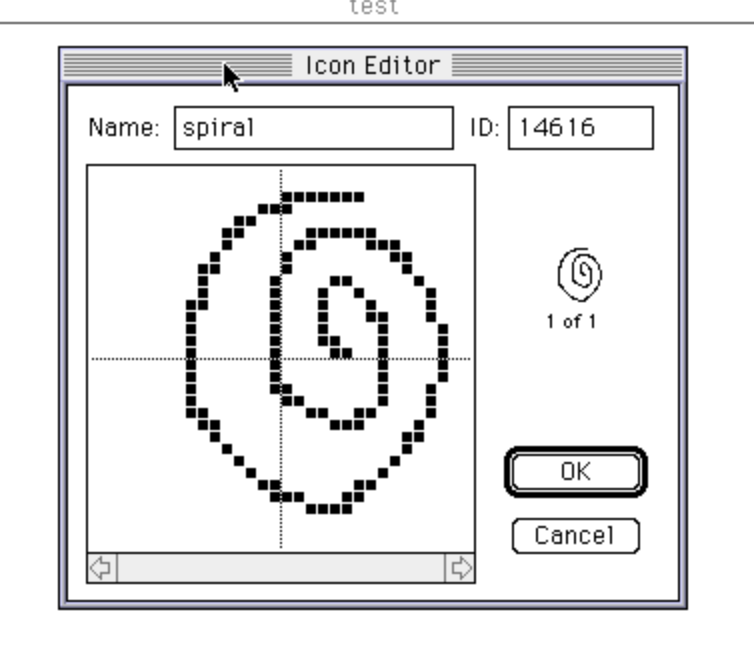
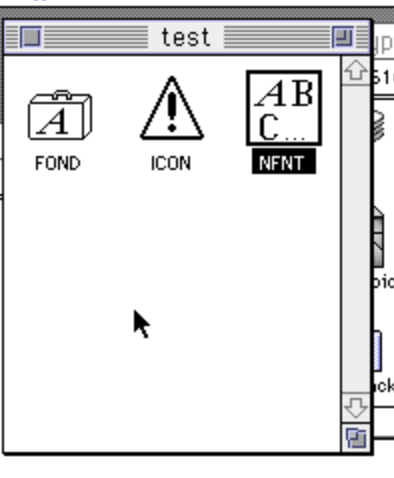
On my emulated Basilisk II install, I fired up HyperCard and made a new stack called test. In order to make sure my stack had a resource fork, I created an icon using the Icon Editor:
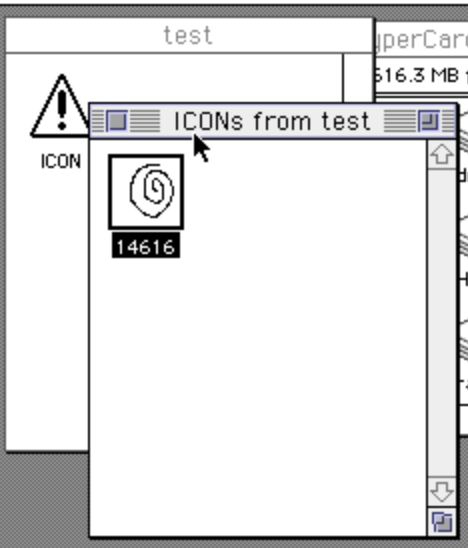
My next step was to close HyperCard. Because HyperCard automatically saves, I have to be careful about trying to mess with a stack without its knowledge. Then, I opened the stack in ResEdit, and saw my newly-created ICON resource sitting there in the list, with the very same ID:
ICON is just one of many types of icon resources available on the Mac. With the advent of System 7’s colour icons, many more types were added, such as cicn (colour icon,) icl8, and so on. HyperCard is monochrome by nature, however, so without a custom XCMD such as plotcicn2, we’ll stick with the old-school black and white ICON.
Now that we know that HyperCard stacks do indeed use resources, let’s take a look at what a font contains.
Hello Jeff-Nichols
From my vast collection of shareware CDs, I pulled out one of my favourites: Power Tools for Macintosh 2.0. Published by SoftBit in 1992, this thing is basically a time capsule of random stuff they pulled off of an FTP server somewhere. Included in its sparsely-attributed collection are some fonts. I picked J at random, and found a font named Jeff-Nichols 72.
Previewing it in the built-in System 7 font viewer, it looks something like this:
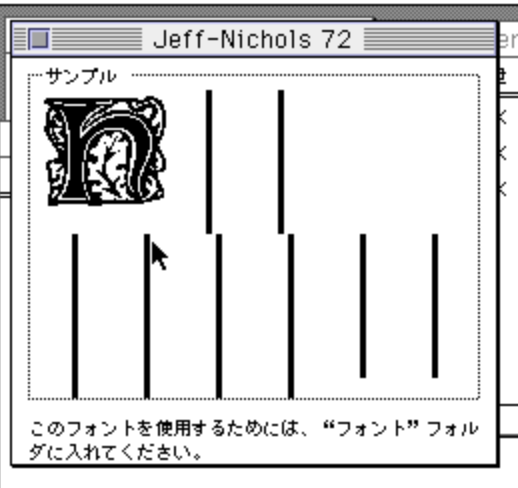
Ah. An uppercase-only font, and a relatively ornate bitmap one at that3. That will be fine for this experiment.
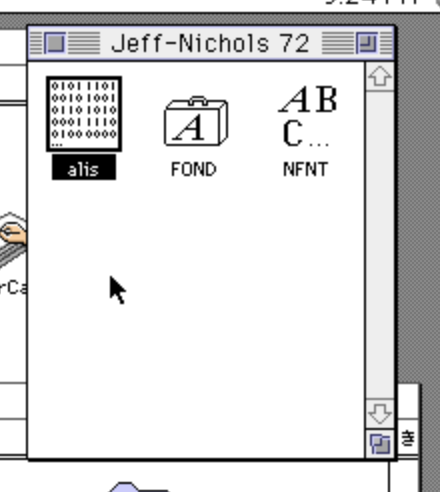
I opened the font in ResEdit. It contains three resources: alis, which I don’t understand and don’t need, FOND, which contains font metadata, and nfnt, which contains the actual characters of the font. After copying the FOND and nfnt resources to my stack, I saved everything and quit ResEdit.
Using This New Font
This took a little bit of work. I wanted to create a field, which is akin to an InputBox in Windows land – it’s a box that the user types into. Although HyperCard has a nice UI for letting you pick which font that field uses, it didn’t pick up the “Jeff-Nichols” font. It showed me only the fonts that were installed in my operating system’s global fonts folder.
HyperCard has a nice feature called the Message Box, which is accessible on the command-M shortcut. When you pick it, a little command prompt appears at the bottom of the screen, which allows you to enter HyperTalk commands. Those commands are dispatched as messages to the HyperCard runtime, hence the name.
HyperTalk is HyperCard’s built-in scripting language, and it combines natural-seeming language with the complete inability to understand actual natural language. I could make dozens of blog entries about HyperTalk alone. After doing some backflips, I finally landed on this magic command:
set textFont of card field 1 to "Jeff-Nichols"
This revealed that I still had the font size set to 12, which made the ornate 72-size font indecipherably tiny. To fix this, I had to go back into the HyperCard font selector (which had now picked up on the concept of the Jeff-Nichols font) and tell it that the text in the field should be size 72. There’s probably a way to do that in HyperTalk as well, but I wanted to take the easy way out.
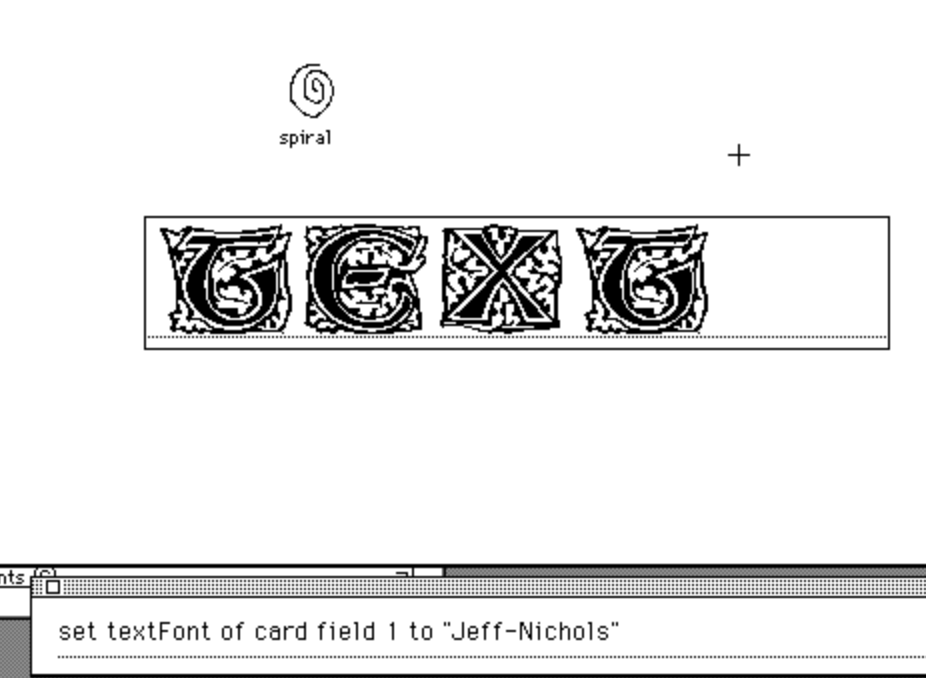
After that, everything worked.
You’ll also notice me using the icon I previously made on a transparent button on this card. Why? I dunno.
My assumption on how this works is that the Mac Toolbox, when asked to find this font, has a hierarchy of places to search for it, and “available resources” is of course one of those places. I’ve never really done much with fonts before, but now I’m thinking it would be a worthwhile thing to at least have a basic understanding of.
Why do this?
Why would you go to all this work to embed a custom font? Why not just install that font on the programmer’s computer, and use it to make a bitmap image on the card?
The obvious reason would be that you want to dynamically generate something. For instance, if I were making a HyperCard stack that generates pretty greeting cards, maybe I want to apply a foofy font to the text output in order to spell out your recipient’s name. You know, a classy card, as opposed to the ones your uncle sends. HyperTalk has a ton of commands available for programmatically drawing things: in fact, all of the extant drawing tools are just sending messages to HyperCard as it is.
Fonts also have abilities that icons don’t. Icons in HyperCard are limited to 32x32 in size, whereas you just saw that we can quickly draw an enormous, fancy-looking character wherever we want on screen with a custom font.
Although this discovery might seem of limited use, it’s important not to lose sight of the fact that a font is just one kind of resource.
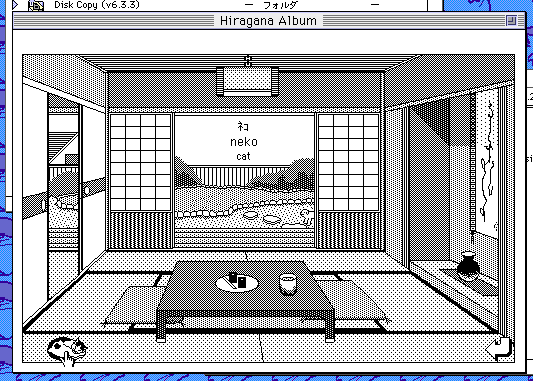
There’s lots of other stuff that could be embedded into a stack, such as custom menus, big graphics, and sounds, such as the voiceover in JapanEASE (pictured.) I wouldn’t be surprised to find out that you can retrieve string resources from a HyperTalk script, which opens up the potential of localized HyperCard stacks.
Conclusion
There’s a lot more to touch on with HyperCard in general, and resources in particular. Bill Atkinson (RIP) and all the other hard-working Apple engineers like Danny Goodman made a really special toolset for quickly developing software. A lot of folks, myself included, can credit their start in computer programming to it. Even though it seems everyone at the time already knew about it, it’s fun to discover it still has lots of tricks up its sleeve after all these years.
Thanks for reading!
-
Translation is a really annoying problem to solve in older machines. For instance, on PC-88 games, every game stores its strings differently. And making a string longer or shorter (which often happens when you do something like translate “my dog” to “私の犬”) will often mean that you need to pad it, or find space somewhere else in the binary to put the rest of the string, then modify the code that calls that string. For localization alone, a common and easy-to-use resource model makes things much easier. ↩
-
An XCMD is an “extension command” for HyperTalk (an XFCN is an “extension function;” yes, like Visual Basic, HyperCard makes a distinction between calls that return a value and those that do not.) They’re usually implemented in a native language such as 68K assembly language, C or Pascal, and give HyperCard additional powers past what it was designed to have. For instance, you can add colour using the Color Tools XCMD. XCMDs are embedded into the stack as – what else? – resources. Later on in HyperCard’s lifecycle, Tom Pittman’s CompileIt! was developed, which compiles XCMDs defined in HyperTalk into native code. If anyone’s interested, I may do a followup article on that. ↩
-
The full preview text used by System 7, in case you’re wondering, is “How razorback-jumping frogs can level six piqued gymnasts!” ↩