A Mysterious Clone
Tags: computer apple apple-ii clone repair
Often, my local recycler comes up with some interesting things. Here’s another one: a machine which is obviously some kind of Apple II. Let’s figure out what’s going on with it.
At first, I was going to wait until the machine was put on sale, but then I saw two things that were interesting. I paid full asking price, $100, which is a lot more than I would pay for something from an ewaste recycler otherwise. We’ll get to what two things forced my hand in a second.
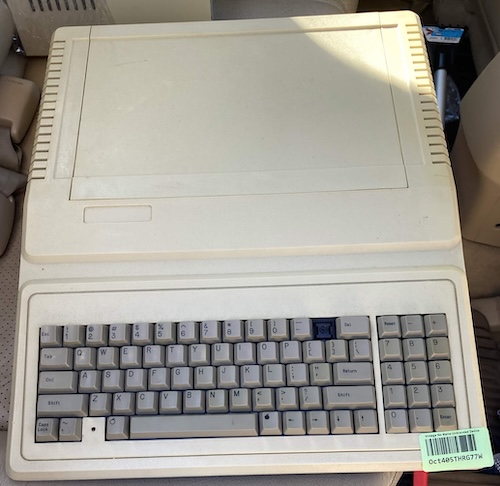
Sadly, the “9” key is missing too. Interestingly, the keyboard does appear to be a Cherry-style switch!
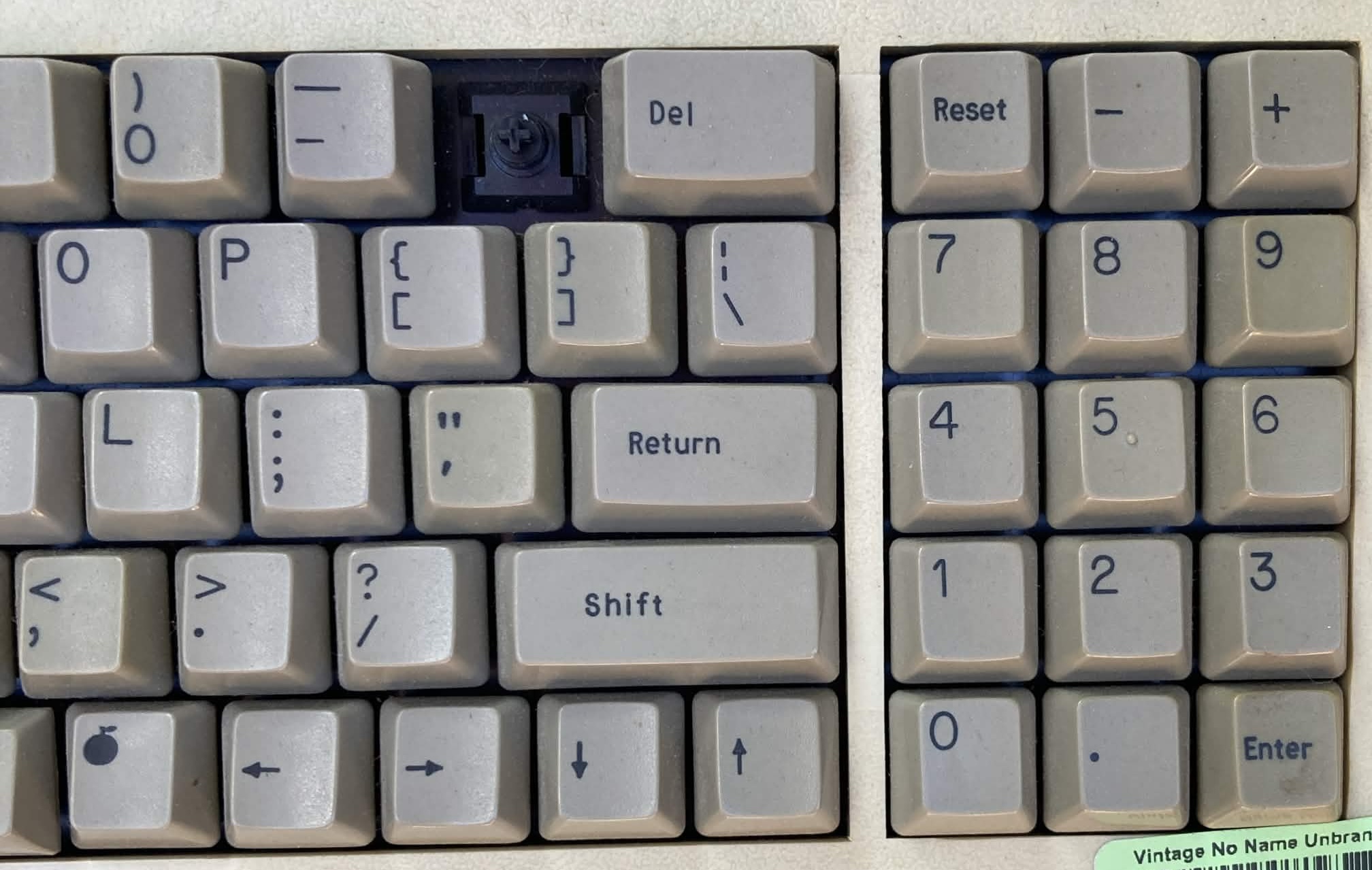
In lieu of open and closed apple keys, this keyboard has a pair of some other fruit, one that looks more like a juicing orange. The recycler didn’t know what this computer was, so they listed it as “Vintage No Name Unbranded Device.” The lettering on the keys is wildly inconsistent in size and style, and some of it even looks like Letraset to me.
When I first got the machine, I noticed something rattling around inside. Something loose is often a bad sign for computers. It indicates abuse in the past, and it’s easy for a loose component to short out some pins or get smashed to bits. The damage here is relatively minimal; it’s the beep speaker, which already has a torn cone. It looks like it is meant to slot into a section in the front of the case, but whatever glue(?) held it positively in place is long gone.
The case in general is very odd. Although it looks like a IIe case, it has triangular slots in the back, like a II+. Its plastic also feels a lot more thin and flimsy than a genuine Apple part, and the card-covering lid is completely different.
The “ASCII” 65C02?
This is the first thing that caught my eye in the listing pictures. ASCII Corporation’s logo on a 65C02. Funny, I’d thought they’d be more of the Z80 type.
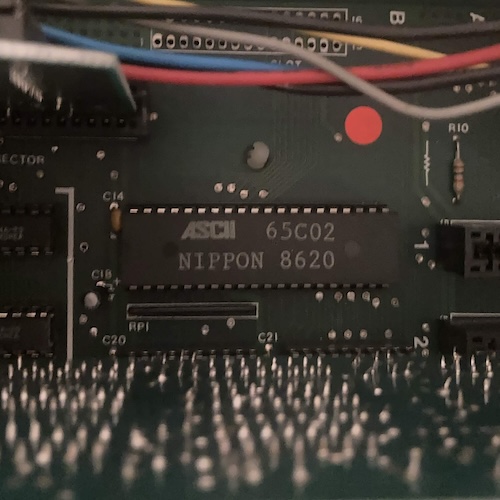
This CPU is, of course, not “legitimate,” depending on your definition of legitimacy. From what I understand, Pacific Rim cloning shops would often badge their parts with the logo of a reputable Japanese or North American electronics corporation in order to make it harder for less-clued-in customs agents to seize them at the border. As far as I can tell, ASCII Corporation never made a 65C02 CPU in 1986, and they certainly wouldn’t have said they did it in “NIPPON.” Who really made this CPU? I bet it’s a good story!
If you have more details on this particular aspect of the clone, or any bootlegging knowledge at all, please share it. Bootlegs and clones of all kinds are endlessly fascinating to me, and both the products and the people behind them are worth studying!
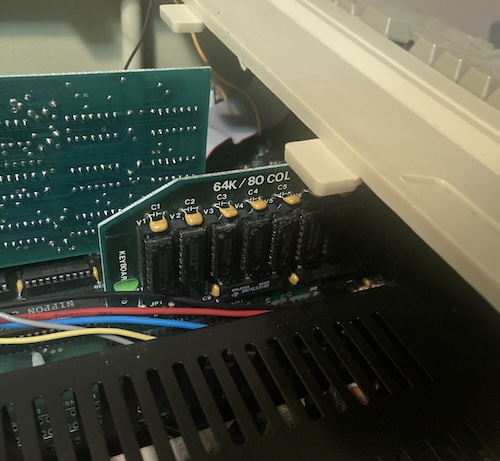
Also installed into the system is a Disk II floppy controller card clone, a 64K language card clone (more on that in a second,) and my personal favourite: a Z80 softcard clone. That’ll let me run CP/M!
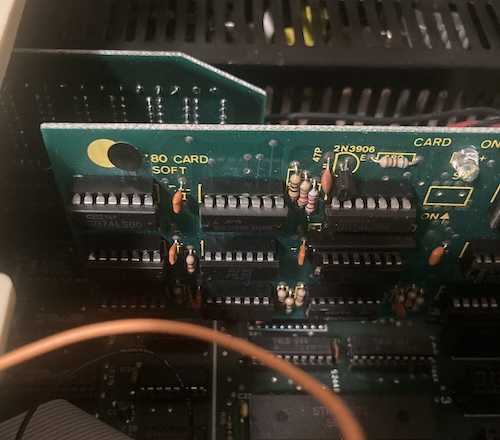
I was worried I’d have to clone that card myself for my IIe, as eBay prices for the real deal are out to lunch. That card, more than anything else, is why I decided to splash out the full asking price for a computer from e-waste.
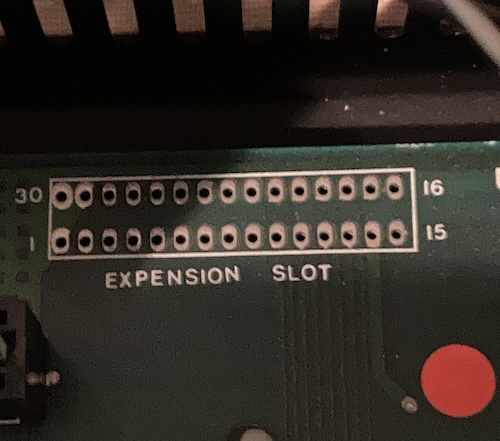
On the motherboard are various unused connectors, such as the 30-pin “Expension (sic) Slot,” the usual DIP joystick socket, and a header for a numeric keypad (as on the IIe Platinum.) Most parts on this board seem to have a 1985 or 1986 date code, which is consistent with the claim “ASCII” is making around the CPU socket. The keyboard PCB has a 1987 date code, so between this and the various connector options, I’m guessing that the motherboards were probably supplied by a different factory than the one that integrated them into a computer.
Dumping the ROMs
As soon as I saw some uncovered windows on those UV EPROMs, I decided it would be a good idea to dump them. Sometimes, Apple II clone ROMs include interesting things, like Chinese input methods or even whole pieces of software. Most of the time, they’re practically identical except for the sign-on message.
Despite the board saying “2764” for both ROMs, one of them is marked as a Hitachi “HN27128G.” The other’s label is long gone. Minipro and xgpro each did not recognize the chip IDs on these parts, but dumping them as a 27128 anyway worked out in the end. Maybe they’re also bootlegs of some kind? I wonder how much margin there was to cut on a UV EPROM.
Noticing that the first ROM seems to repeat every $1000 , I assumed it was probably something like a font ROM. I popped it into the bitmapped-font extractor I used on the BBC Bridge Companion project, and some characters came out:
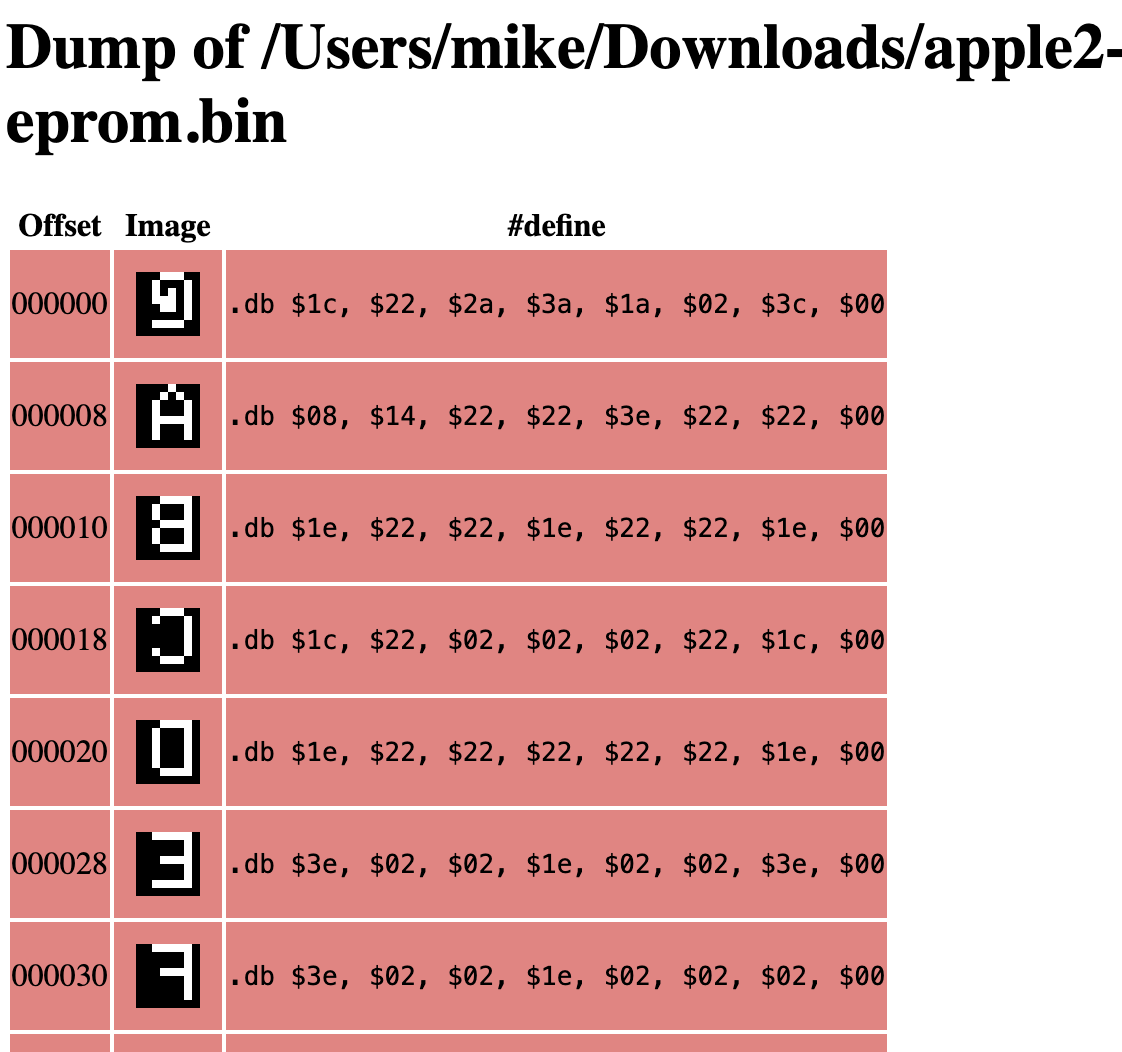
The second ROM, when inspected with strings, had a whole bunch of BASIC keywords in it. That’s probably the main “OS” ROM, then.
Give it a shot
Now that I had the computer apart, there’s nothing better to do than to plug it in and see if it works. After connecting it to the Dell monitor I had on my desk, I fired up the motherboard with no keyboard attached. The power LED on the motherboard came on, but I didn’t see any video appear, or hear any beeps.
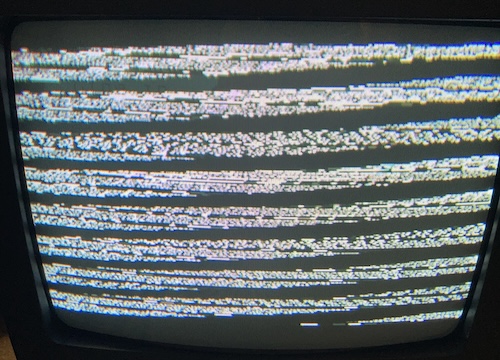
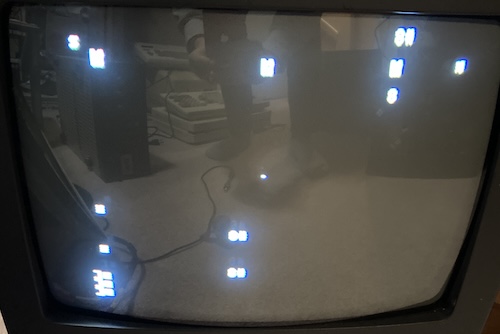
Seeing as the speaker appeared damaged, and as the Dell monitor is a relatively new thing with fancy digital video-detection logic that might not like the Apple II’s somewhat flexible view of NTSC standards, I decided to try it on a tube TV as well. Unfortunately, I still didn’t get any legible video – just this unsynchronized garbage.
In retrospect, I probably could have done more investigation prior to “just firing it up,” but sometimes you gotta live life on the edge.
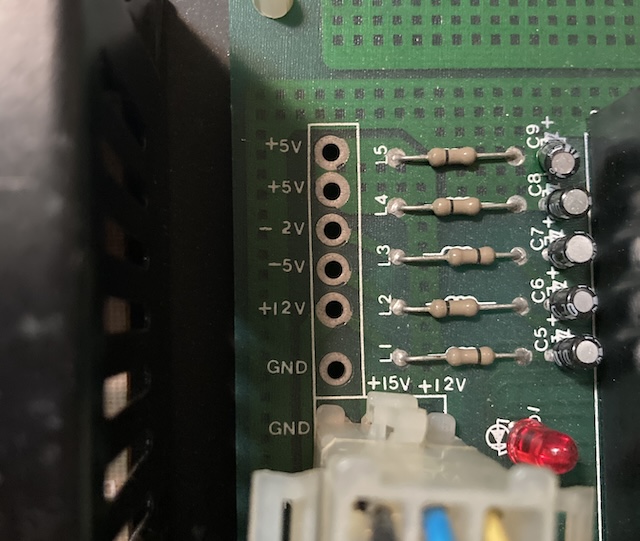
I checked the power supply, and all the rails seemed to be working normally, except +5V was being pulled a little bit further down than I would expect, sitting around +4.85V.
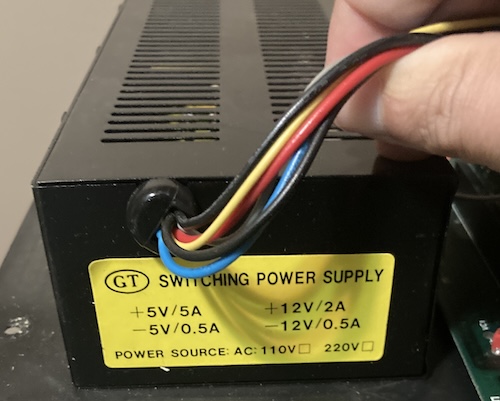
At this point, I decided to remove the cards. With all the cards removed, the system started. I checked the cards for damage, and at that moment, I was enlightened.
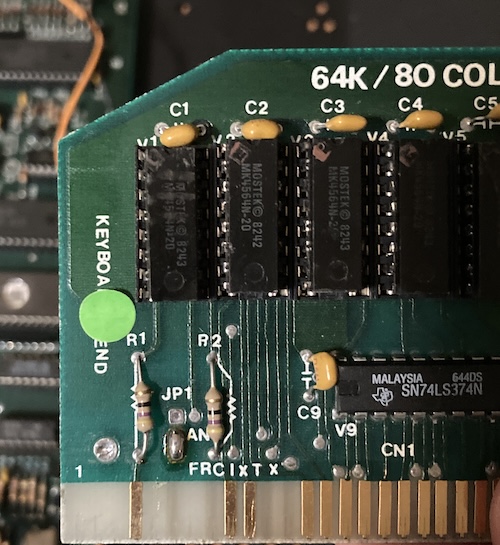
Notice the “keyboard end” on the language card? Whoever had this machine apart last didn’t. The language card was installed into its slot backwards when I got it, and I apparently didn’t notice either. In my defence, my IIe doesn’t have a language card.
After flipping that around, I suddenly got an “Apple //e” banner and a cheerful beep.
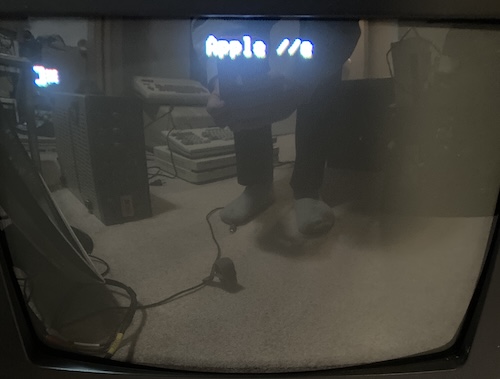
I slowly reintroduced each card, testing after each one. I soon found out there was a second problem: if the machine ran long enough, the text would start to tear and sometimes “glitch out” and crash in various exciting ways.
With some experimentation, I was able to reproduce this problem by tapping with my finger on the clock crystal XTAL1. Even the slightest jounce to it makes the screen go into paroxysms and sometimes crash the computer entirely. This crystal’s in the corner of the motherboard, and probably got walloped by the speaker while it was bouncing around. You might be suspicious also of how oddly crooked it appears to be.
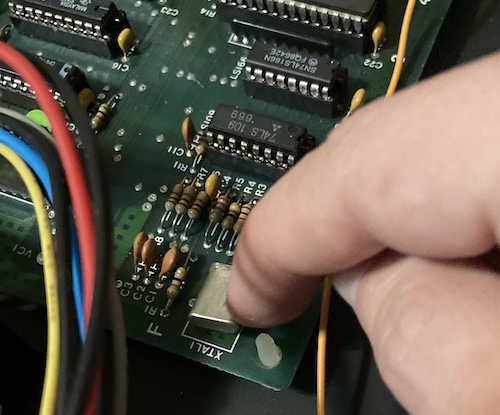
On the “real” Apple IIe, XTAL1 (Y1) is a 14.31818MHz crystal, which gets divided down to 3.57MHz, the NTSC colourburst clock. Considering that the machine seemed to run, and also because I was too lazy to root through my box of ColecoVision clone parts to see if I could find a 14MHz crystal, I decided to first inspect the motherboard for a bad solder joint.
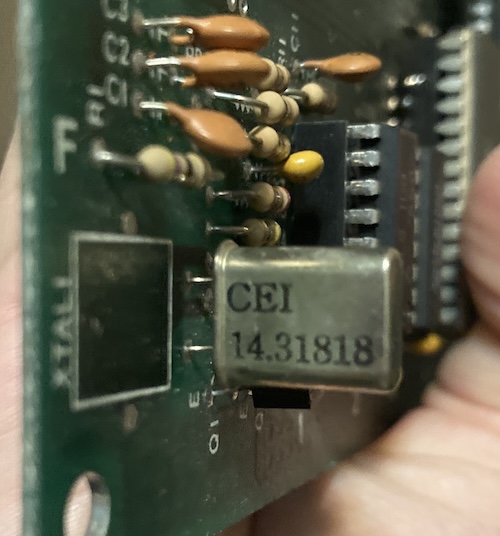
Some closer inspection revealed that the crystal was indeed 14.31818MHz. This is a really easy crystal to get, with one apparent caveat. According to Reactive Micro’s product page for a replacement clock crystal, it can be hard to get a direct replacement for this crystal: they claim the clock circuit is sensitive enough that the new crystal’s load capacitance needs to be very close to the original one. They don’t state what the original pF is, so hopefully we don’t need to replace this CEI part.
Once I had fought the clips enough to get the board out, I took a look. The solder joints looked fine, even under magnification, but the crystal did indeed feel a little “wobbly.” It’s hard to describe.
I reflowed the solder, marvelling at all the greasy old flux that burned off in the process, and the crystal felt slightly less wobbly. Plugging it back in, I was greeted again with the sign-on banner. I tapped on that crystal (within reason) for about ten minutes, and the problem didn’t reoccur, so I figured that part of it was fixed.
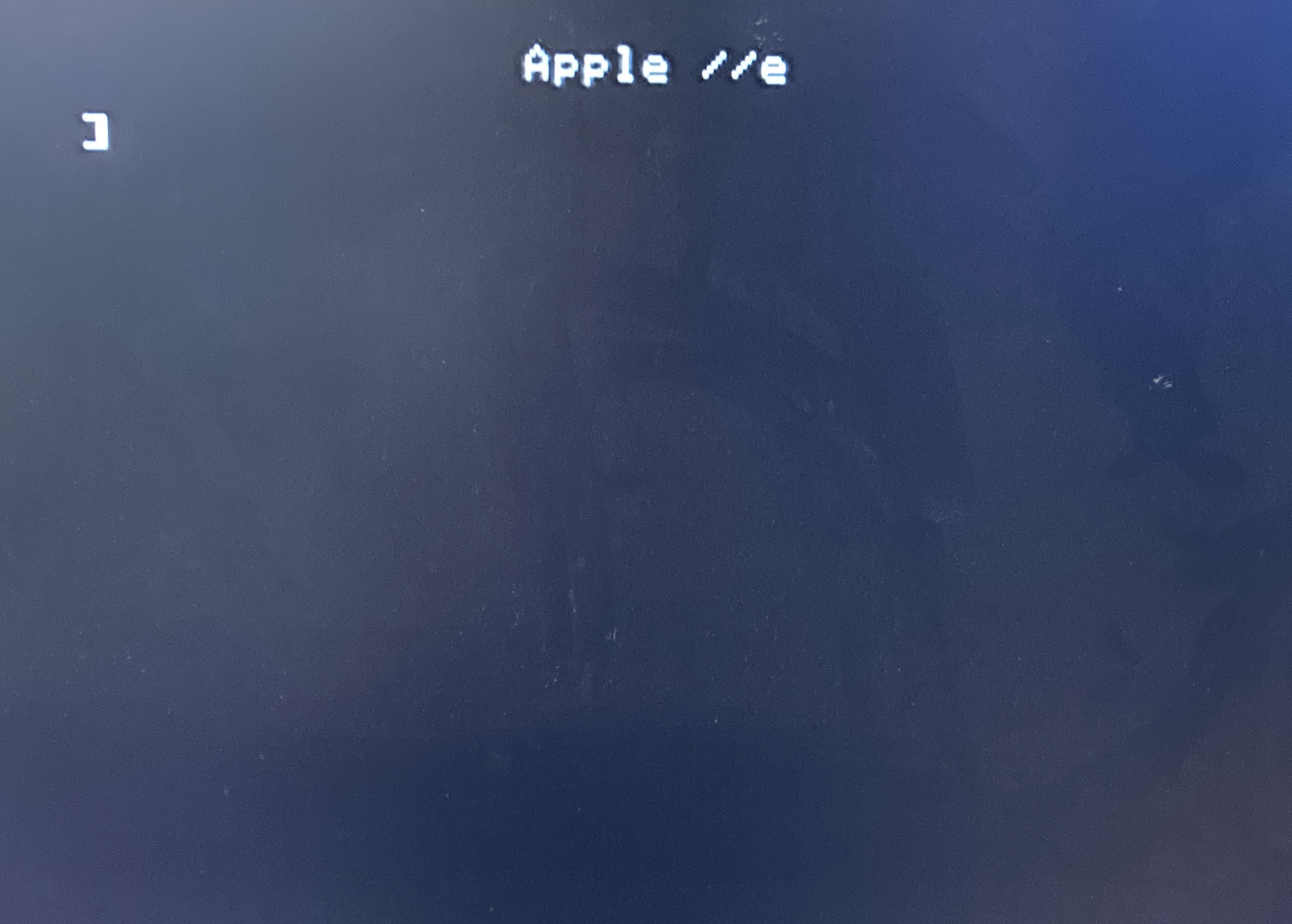
For luck, I also reflowed the 4.43MHz crystal (XTAL2) on the other side of the board.
Conclusion
Due to other obligations, I ran out of time to figure out if the colour worked perfectly on this machine, but I’m hopeful that things will work properly. In the next part, I’ll get all the cards installed (the right way around) and we can explore both the Taxan floppy drive and figure out how to get the Z80 soft card to work.
Thanks for reading!
Repair Summary
| Fault | Remedy | Caveats |
|---|---|---|
| Video is blank, machine appears dead. | Put the language card in the right way around. | |
| Video scrambles periodically, especially when XTAL1 is tapped with a finger. | Reflow solder joint on crystals. |