Halloween with the Camels
Tags: computer sega sg1000 sc3000 soggy1000 homemade-software retrochallenge retrochallenge-october-2026
It’s time to close out this year’s RetroChallenge project. Since it’s October, why not use the Forth interpreter that I’ve been slowly building up all month to do a sort of demo? I hear decorative squash is hot this time of season.
The goal
My mission was to augment my nascent CamelForth interpreter with a Halloween-themed demo, and I wanted part of that demo to be 16x16 sprites. The TI TMS9918A video chip at the heart of the Sega SG-1000 supports these enormous sprites1, but I’d never worked with them before. In fact, before last week, I’d never worked with any sprites on this VDP before.
To really stretch things, I figured I’d need to do animation. And in order to do animation, I’d need to understand how Forth does control flow. Let’s start by investigating infinite loops.
How to write an infinite loop?
Forth has an infinite looping primitive known as BEGIN/AGAIN.
An infinite loop can be changed to be exited with WHILE if you use REPEAT instead of AGAIN, as seen in the below piece of code I stole from the nice Turbo Forth tutorials:
: TEST
  BEGIN
    KEY 1 AND
    WHILE
      ." Odd character code detected"
      CR
  REPEAT
  ." Even character detected; exiting."
;
LEAVE can be used to unconditionally exit the loop. Now convinced that I knew enough to write all the code I would ever need, I proceeded to jump down a rabbit hole getting the sprites set up.
16x16 sprite art
I started by drawing some pumpkins in Aseprite. It’s a pretty good sprite editor, and its ability to output indexed PNG sprite sheets came in handy here. I hacked up some Python code to ingest the sprite sheets, do the world’s worst quantization step, and then spit out assembly directives.

I wrote some Forth to set up the 16x16 sprites, stumbling a few times as I determined that I misread the tms9918a.txt document repeatedly, and got a pumpkin:
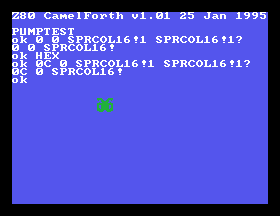
It is a pumpkin! Don’t you believe me? Yeah, things got a little mixed up in the tile order. Let’s try again:
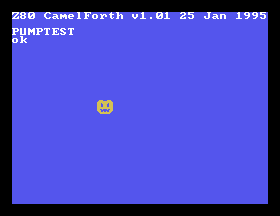
The TMS9918A only supports 2 colours per sprite, so we’ll need an additional sprite if we want to have a pumpkin with black eyes and a stem. I made one that’s just a shadow and a stem, intended to be all-black and go behind the main “flesh” of the pumpkin.

Let’s see if I can get another sprite going:
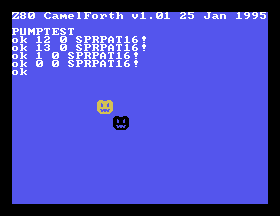
And then pick the right tiles, and put them together:
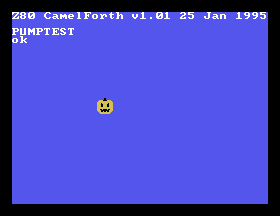
After some more wailing and gnashing of teeth, I ended up with a Z80 macro that could create any number of pumpkins, as long as the number you want is fewer than 16 and not more than two on the same line:
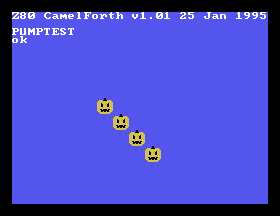
The surprising next-frame-number problem
For animating, I needed a word to go from the current frame index to the next one.
It’s not quite as simple as “+1,” because I had to loop, and I also need to step by 4. Remember that each sprite is made of four patterns. My pumpkin has 12 frames, so the last frame will be index 11 * 4 = 44.
I wrote this in Forth, the NF standing for next frame:
: NF DUP 44 = IF 0 ELSE 4 + THEN ;
But I couldn’t figure out how to convert it to the assembly definition in order to include it in CamelForth. Which is weird, as I’d never had any problems with this before. None of the other CamelForth code seemed to be using IF, either – in places where it said the equivalent Forth code, the hardcoded definitions were using a qbranch macro to forcibly jump to a label.
Defeated, I ended up just rewriting the word in assembly, but I really wanted to know how this is supposed to be written in the CamelForth source code. I kept going.
Even with this setback, I was still able to write a STEPPUMP word in Forth that advanced the frame of an arbitrary pumpkin, looping when it hit the final frame of animation.
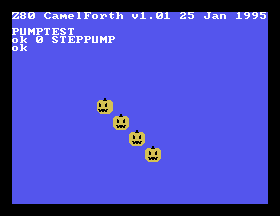
If you stepped it a whole bunch, the pumpkin keeps rotating:
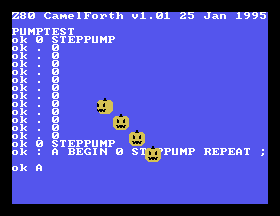
It even works in a loop!
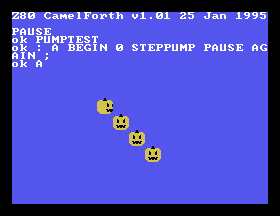
After some more wailing about not getting my sprite indices correct and accidentally dropping some perfectly good arguments on the floor, I got all the pumpkins to obey the step order.
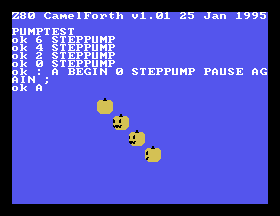
I extended it to DANCE, which advanced the frame of all the pumpkins in one convenient word.
Then I ran into the same problem again, this time with loops. BEGIN/AGAIN, which I intended to be an infinite loop of pumpkins spinning until they vomit, just did one step and then bailed out. I checked the readme, which told me that when I was hardcoding my programs into ROM:
This requires you to convert your Forth code to assembler code. To show how this is done, every high-level Forth word in the file is shown with its equivalent Forth code in a comment. Be especially careful with control structures (IF..ELSE..THEN, BEGIN..UNTIL, DO..LOOP, and the like),
Looking around some other code that used BEGIN, I noticed that it had assembly-style labels, and a word called qbranch that branched to them. I added some assembly-style labels to my infinite loop, jammed in an unconditional qbranch to make an infinite loop, and suddenly the pumpkins were dancing!
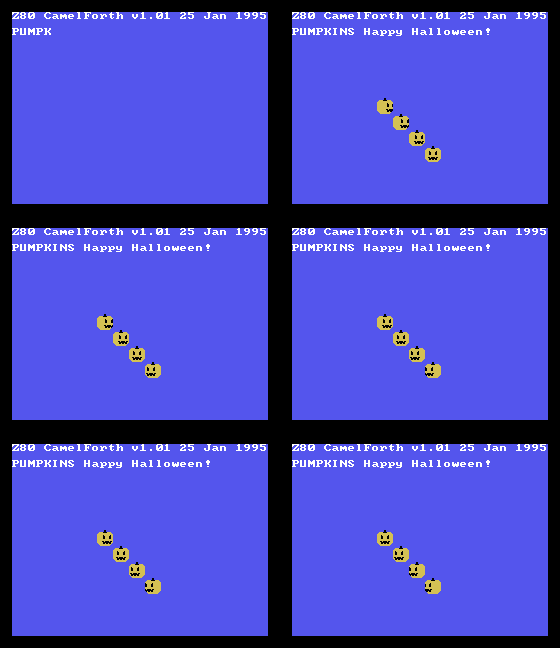
Dancing forever. Muah ha ha ha.
Conclusion
This post is really where the rubber hit the road.
I had a defined problem, and I set about fumbling in the dark until I got there. The immediacy of Forth helped a lot, as I was able to build up small words like NF and debug them to make sure they were correct over the entire expected count of frames. In the future, I’d like to add joypad support, make some kind of music driver, and maybe even write a game, which will require me to confront and understand the qbranch demon more fully.
I had much more ambitious plans for this project at the conclusion of the last week’s goals, but a plumbing emergency and general other end-of-month shenanigans intervened to cut my available time down to a pittance. Still, I’m very happy with what I’ve got out of here. The pumpkins are very cute, which makes me wonder if I secretly have sprite pixel-art skills that I just never used until now.
Now that I’m more familiar with Forth, I think I will reach for it more often when it comes time to do embedded and 8-bit-computer things. In particular, I think it would be a lot of fun to do a Forth interpreter from the ground up, instead of porting CamelForth.
I’d like to give my gratitude to Brad Rodriguez and all the other contributors to CamelForth for making this project a lot easier than it would be otherwise. I won’t pretend that my little half-informed port of this thing is a good one2, nor is it very reliable, but I sure had a lot of fun. And having fun doing stuff with old junk is what this hobby is all about.
Thanks for reading. Happy Halloween!
-
Part of the problem with a Halloween demo on the TMS9918A is that it doesn’t have the colour orange. We’re using “uncomfortable yellow” for our gourd flesh. ↩
-
The TODO.md file contains many oddities that I was unable to figure out. I think I’ll take a break from CamelForth for awhile and come back when I’ve got a little more feeling back in my fingers. Maybe RC2027? ↩